
Day Zero

So it's Sunday...
I thought it would be a good idea to choose a day going forward that I (at the very least) try and write up a post on the ins and outs of what I've been up to.
Committing to trying to commit to something is the hardest part. There may be weeks I don't have a lot going on, or I forget or just can't be bothered but Sunday will be THE day.
ANYWAY ...
Preface
I'm going to preface this to let you know generally I'm an outspoken AI hater. If I see AI made designs and banners and characters on your LinkedIn I FEEL SICK. However, I use AI a lot to research. I tend to treat it more of like a highly advanced search engine rather than a sentient all-knowing being that it is commonly mistaken to be, anyway, rant over.
So I finally thought I'd try out Claude.ai after knowing about it for a long time. I'm not particularly good at learning to code so I didn't think I'd have the need to use it as a result. Fast forward to the present day, using ChatGPT to solve problems, copy and pasting solutions, copying back errors... I've got to the point where I wanted something quicker...
In comes Claude! …wait no ... openclaw .... with local qwen3.5/9b.
I'm not going to lie, I really thought I was onto something with this. I don't know if it was me or the configuration or what it was that made this experience pretty mediocre. I'd heard a lot about openclaw online and how advanced it was but I just couldn't figure out the best way to use it. I was getting incorrect answers, trouble with browser integrations and other issues that I can't remember off the top of my head but it was enough to put me off.
It would have been nice to avoid a subscription cost of another AI service but further than research and other small tasks i just couldn't get openclaw to be what I wanted it be.
Then inevitably, AI gets mentioned during a chat on our discord and a friend talks to me about how they use Claude for work and I thought, sod it, let’s give it a go.
Goddamn this shi smart.
Thursday
At this point I already have a proxmox install on an eBay mini pc that I'm using to test out home assistant and other services so that a final product can be made for my Mums new house, as it‘s having a load of renovation work I thought my gift to her as housewarming could be a "smart home".
Couple of wins here already, I get to play around with internety-techy stuff and she gets the smartz stuffz. El boshh!
So with home assistant up and running without any devices, how about trying how ZigBee devices work by prototyping our own with an ESP32-C6! Unfortunately, I don't have any pictures of it, so you'll just have to take my word for it.
So with Claude code booted up and paid for after the previous convos with a pal, we got to work. I only started by giving it what I wanted from the light in the prompt box, giving it a folder and asking it to do what’s required to connect to the esp32 and flash it when it was done with the code. A couple minutes later boom, all done.
It did as expected. The boot button turned the light on and off and it connected to home assistant dashboard pretty easily so that side was fine.
Now where it wasn't fine was the range, although through no fault of Claudes. It wouldn't pair if I plugged it in outside the office. Some users report that putting a USB extender in between the ZigBee dongle and the homelab can fix it, although the ESP32 has been reused for another project already, lol oopsies.
Friday
Today is the day that me and Claude really started to fuck shit up.
GitHub
First thing I had it do was create a private repository on github for me to keep track on the admin side of the homelab. Port mappings, IP reservations, set up guides, config file backups, the lot of it. I simply asked it something along the lines of "create a repo for the homelab with a guide of how I've set it up, make it foolproof, easy to understand and recommend fixes to disorganised setup"
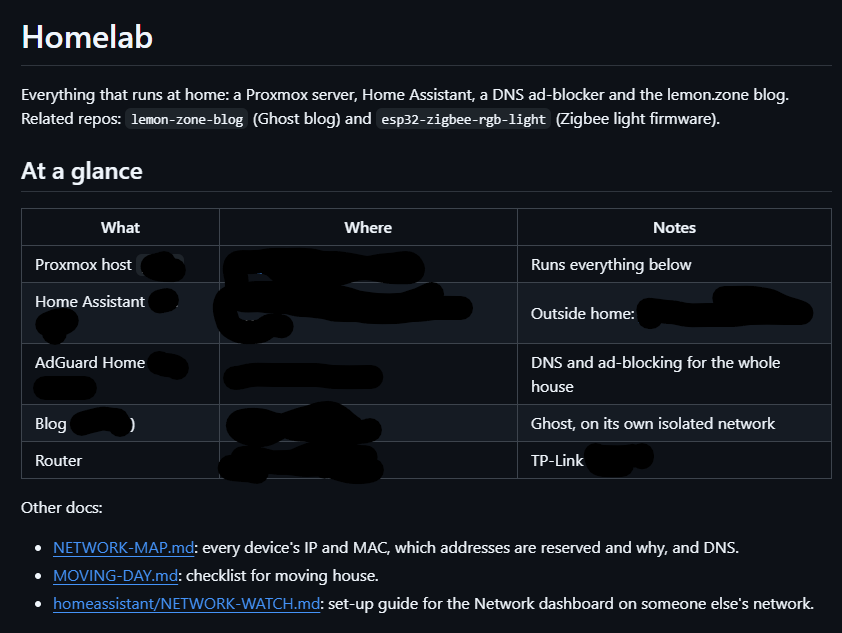
This is by far the most powerful thing I've personally used AI to do and although its nothing insane its still incredibly useful to have this information easy access (my organisation skills are poor as it is lol).
And of course passwords and keys never go in, and the repo stays private.
Flight Tracking
This was a pretty cool one. Inspired by Tom Haczewski's upcoming TinyDeskRadar
PLEASE GO BUY ONE@ https://www.gadgies.co.uk/gb/products/tiny-desk-radar
I set up the Flightradar24 integration with my homeassistant. Currently the setup that has clicked is a tracker that tells you at a glance how many planes are withing a 10km radius, as well as an alert that pings my phone and shows a dismissible banner containing information of any military aircraft that come within this range...how cool!
Networking
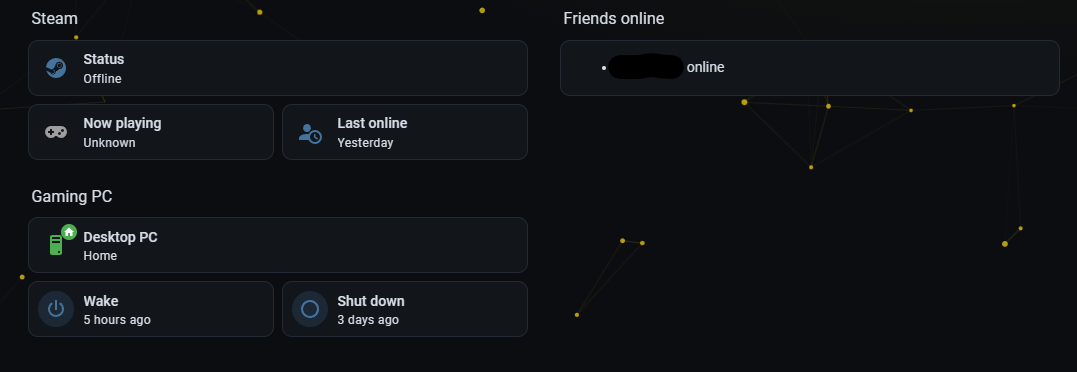
Now a few networking related projects. I wanted something on the homeassistant dashboard that shows online devices and other various metrics so I can see them at a glance.
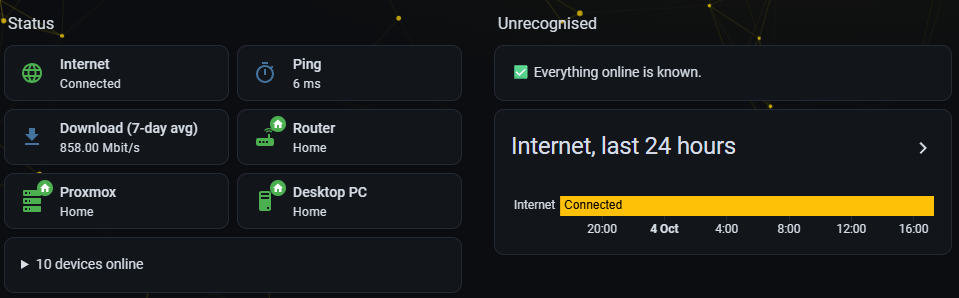
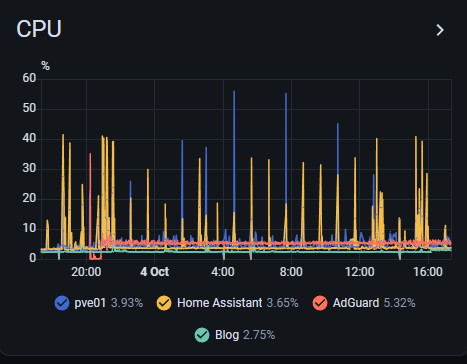
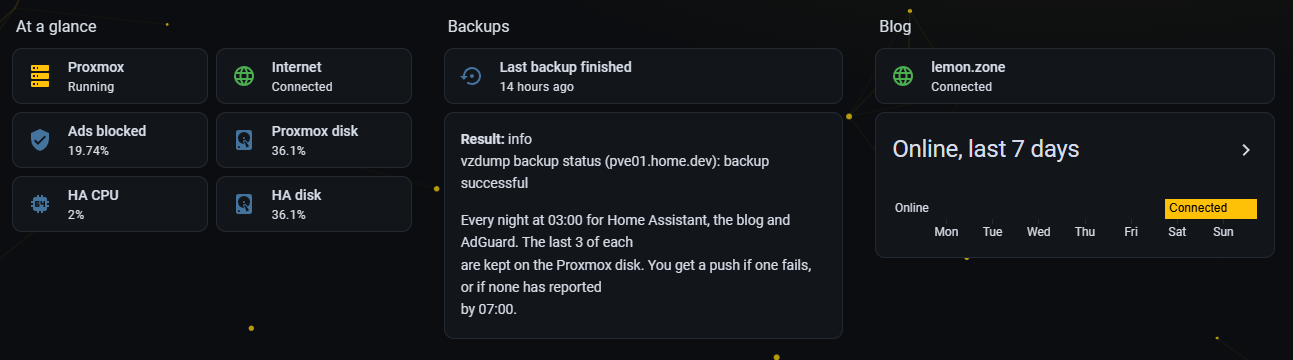
I also set it up with the homelabs stats. Although you can see below the result of the 7-day average speed-test running every half an hour lines up with the CPU spiking so I think I may change this to once a day to save power.
Saturday
Friday's momentum carried straight into Saturday. This was the day it started to feel like an actual smart home rather than dashboards everywhere.
Lights that follow the PC
Now the office knows when I'm at my desk. When I turn my PC on the lights come on with it: white during the day, blue once the sun's gone down (if I'm still on my pc). When I turn my PC off, about 20 seconds later the whole office goes dark. On top of that there's a "work light" button for when I need proper bright white . Lazy? Yes. Brilliant? Also yes.
As a side note, throughout the home the lights will follow a plan where the brightness depends on the time, no more getting flash banged by the bathroom light at 2am!
Getting into Home Assistant from anywhere
This one took a few goes. I wanted to reach Home Assistant away from home without opening any ports on my router, so I tried a few options and what I ended up with is Home Assistant's own login with 2FA, a rule that blocks anyone outside the UK, and an automatic ban after a few wrong passwords. Simple, and it actually works on the phone.
Blocking ads for the whole house
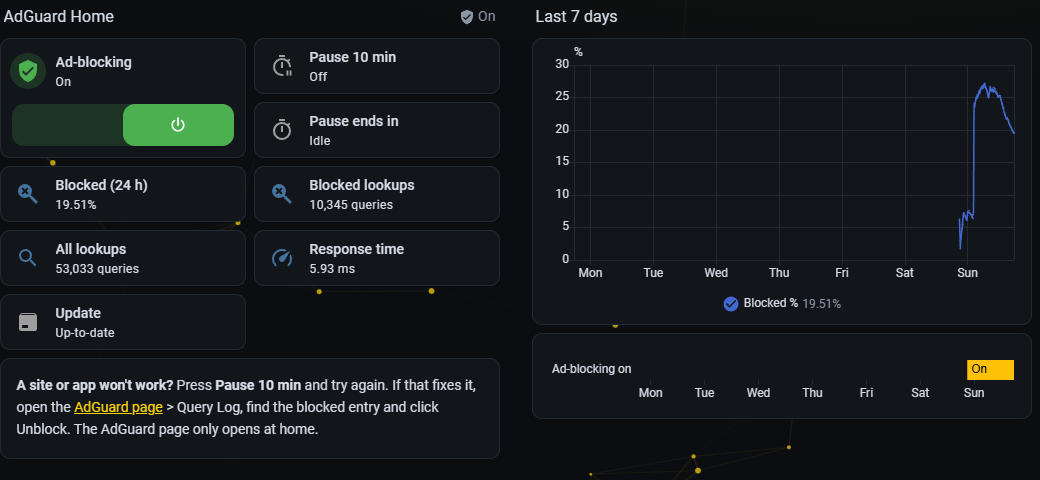
Next up, AdGuard Home in its own little box on the Proxmox server, blocking ads and trackers for every device on the network. Phones, TVs, the lot. Then I added a "pause" button for when a site gets weird, and a phone alert if AdGuard ever commits death, because when it does, the whole home internet will die.
Making it look nice
Last job of the day was the fun one. I made a Home Assistant theme that matches this blog, animated background and all, and tidied the dashboards up into something that makes sense: one place for the house, one for gaming, and one for the homelab, split into tabs.
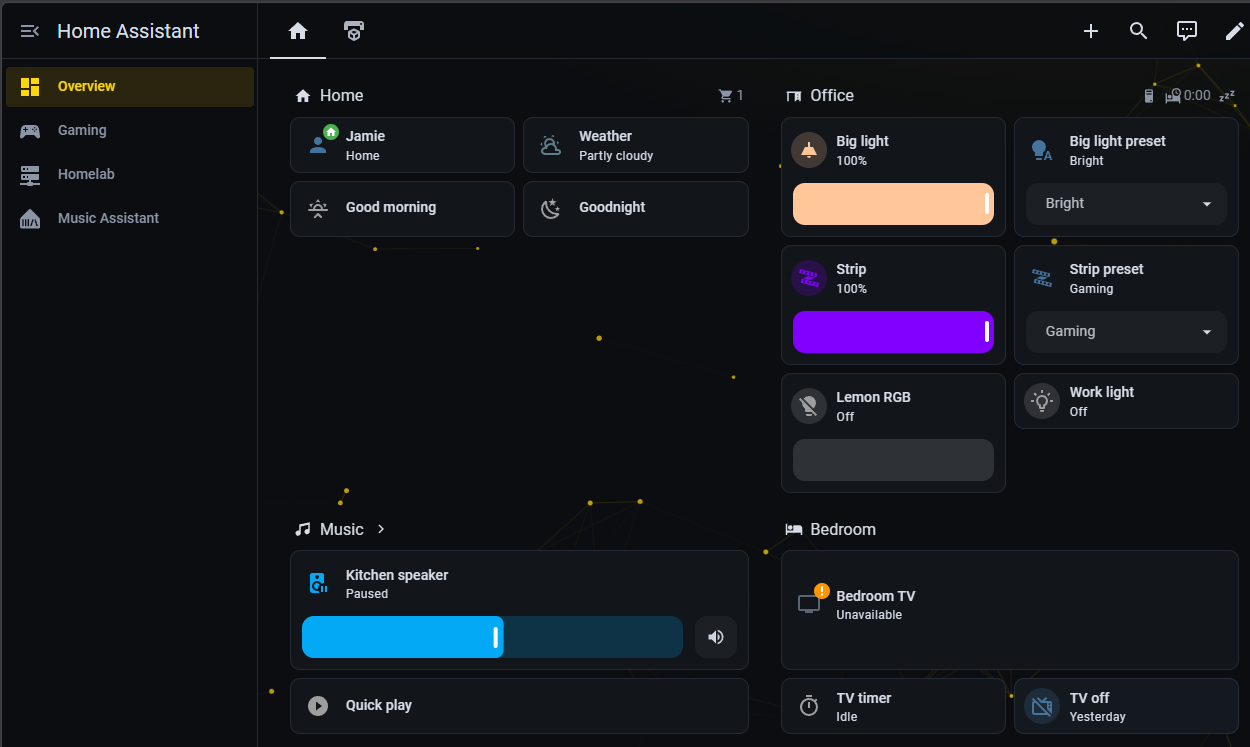
Now I know there's not much there yet. I'm yet to get a new doorbell (reolink seems to be the best), bulbs, switches and various sensors. However they will be coming over the next week and I assure you they will be messed with as soon as possible.
3D Printer!
I almost forgot! I bit the bullet an bought a Bambulabs P1s 3D Printer. Boy would this have been handy years ago! Here's a few various prints I've done over the last few days:
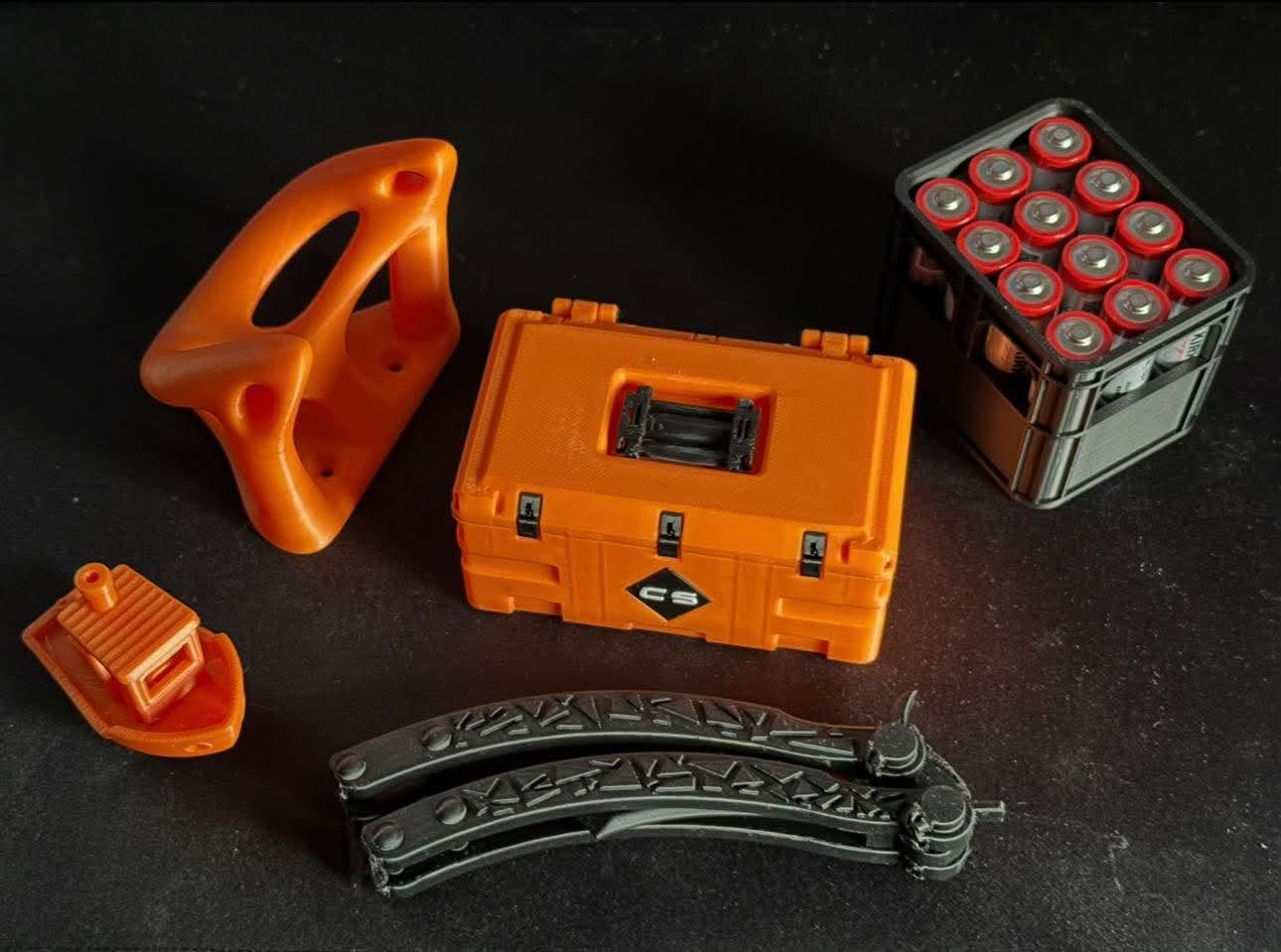
So easy to setup, honestly fool-proof.
Even managed to get the homeassistant integration to work!
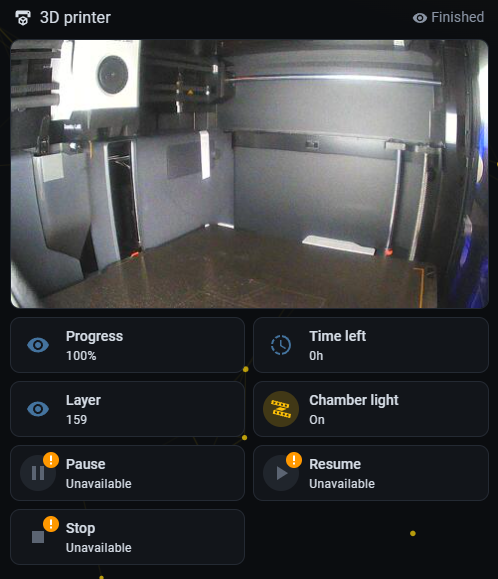
Took a bit of getting used to the software and understanding filaments but its been going well so far. It'll be very handy to rapid prototype electronic projects, one I'm already working on as of writing this!
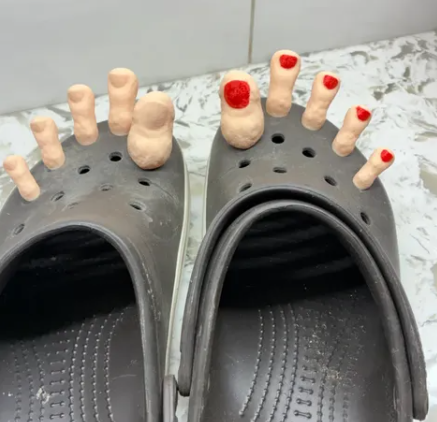
Image of the Week:
See you next week!
That'll be it from me, heading to work tomorrow so its probably going to be an uneventful week new week :/
TILL THEN!
Sign up for the newsletter to get email notfis for the next blog post!
$ subscribe --email
New posts, straight to your inbox. No spam, unsubscribe any time.
Subscribe